
The choice that could cost you (very) dearly
You have 30 people, maybe 50. Your firm is thriving, projects are flowing, and you’re recruiting regularly. Yet, you spend your evenings on Excel trying to figure out if your projects are profitable. Your team juggles seven different tools that don’t communicate with each other. And that famous “consolidated view” everyone is asking for? It only exists in your dreams.
You tell yourself it’s time to move to a real ERP. You’re right.
But here’s the problem: between 55% and 75% of ERP projects fail. And when we say “fail,” we’re not just talking about a simple delay. We’re talking about average budget overruns of 189%, projects abandoned after months of effort, and firms that end up returning to their old processes because the new tool was worse than the old one.
The cost of a bad choice? Hundreds of thousands of euros gone up in smoke. Demotivated teams. Stalled growth. And that depressing feeling of having invested a fortune in a tool that hinders you instead of helping you.
The good news? These failures are not inevitable. They are the direct result of poor selection criteria. Firms that choose based on impressive sales demos rather than their real operational needs. Who underestimate the complexity of implementation. Who forget that their teams will have to live with this tool eight hours a day.
Here are the 10 criteria that separate an ERP that transforms your firm from an ERP that burdens it. In order. Without compromise.

The tool truly understands your business (not just accounting)
The real problem
You are not a widget manufacturer. You don’t manage product inventory. Your business is human time sold by the hour or on a fixed-price basis. These are projects that last three weeks or eighteen months. It’s about consulting, expertise, and support.
And yet, 80% of ERPs on the market were designed for manufacturing or trading industries. The result? They are excellent for managing your cash flow and accounting, but completely miss the mark on everything that makes your business unique.
What to actually verify
An ERP designed for consulting firms must natively manage:
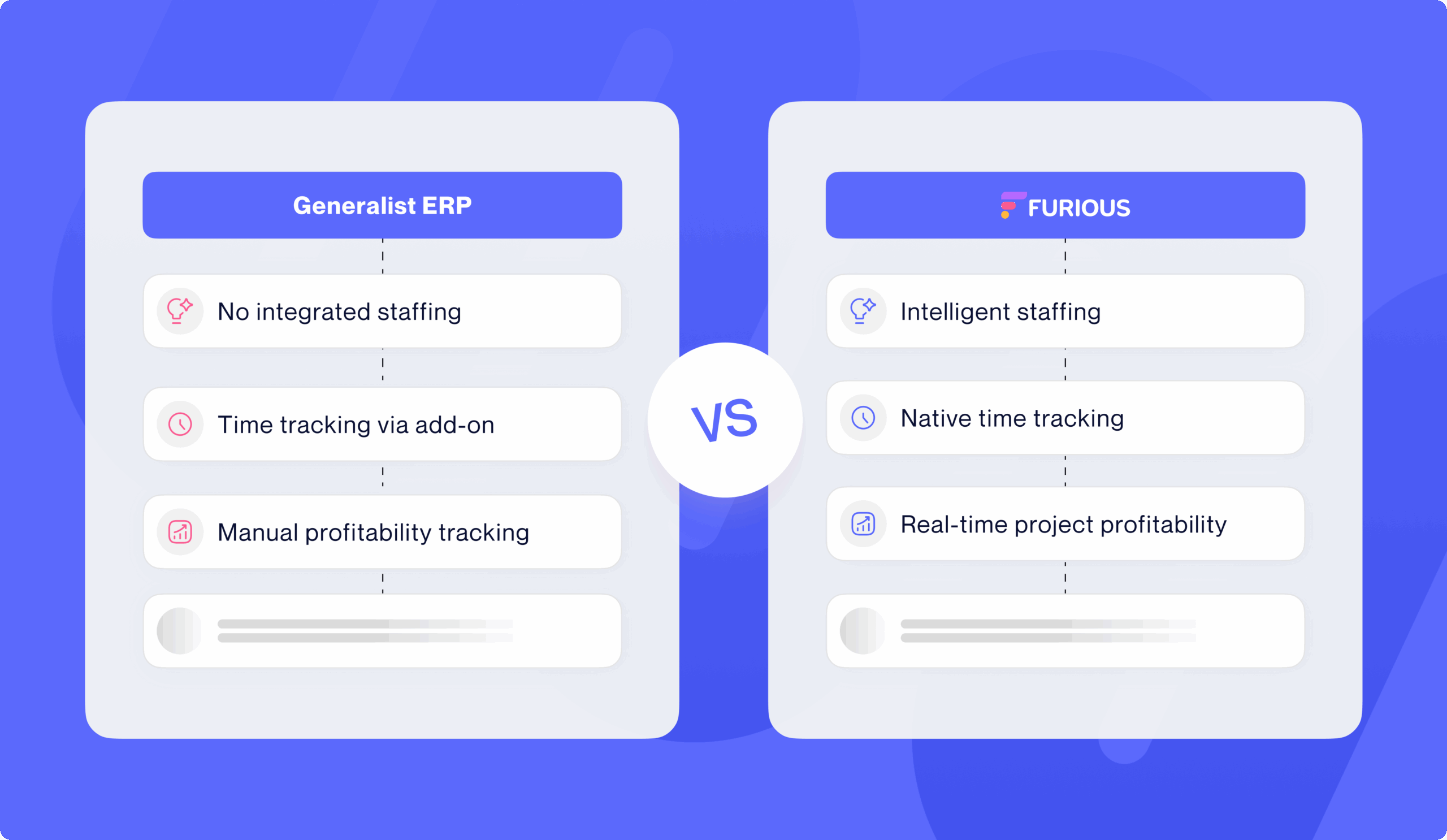
Time tracking : Your consultants must be able to effortlessly enter their past and planned time. Future time automatically becomes past time once the date has passed. No double entry. No friction.
Real-time project profitability : Not in two months when your accountant has closed the books. Now. With the ability to instantly see if a project is drifting and correct course before it’s too late.
Smart staffing : Who is available? Who has the required skills? Who is already overloaded? The tool should give you these answers in a few clicks, not after three hours of cross-referencing your schedule and Excel spreadsheets.
Pre-sales management : Because you spend 20% to 30% of your time pitching without getting paid. This investment must be tracked, measured, and arbitrated. Otherwise, you lose money without even knowing it.
Pitfalls to avoid
Beware of “generalist ERP + services module” solutions. In 90% of cases, the services module is an add-on tacked onto software designed for something else. It will always lack critical functionalities for your business.
2. Implementation doesn’t take six months (and doesn’t cost the price of the tool)
The real problem
Implementation costs generally represent between 100% and 200% of the software’s annual cost. In other words: if you pay €50K per year for a license, expect an additional €50K to €100K just for setup. And that’s when everything goes smoothly.
Only 27% of ERP projects are delivered on time. Three-quarters go off track. And during that time? Your firm is in project mode. Your teams dedicate 25% to 50% of their time to implementation instead of billing clients. Your growth is on hold.
What to actually verify
Ask the vendor:
Average implementation duration for a firm of your size : If they tell you “three to six months,” dig deeper. Ask for client references with actual timelines. If it’s consistently longer, that’s a bad sign.
Integration methodology : Is it a big bang where everything switches over at once? Or a modular approach where you can deploy gradually? The second option is infinitely less risky.
Level of customization required : The more custom development the tool requires, the longer, more expensive, and riskier it is. A good ERP for firms should be configurable but not require custom code to function.
Included support : How many days of training? Of configuration? Of startup support? If everything is optional, double the budget.
Pitfalls to avoid
Sales demonstrations always show you the final version, perfectly configured, with impeccable demo data. What they never show? The six months of struggle to get there. Insist on speaking to a client who has just completed their implementation, not one who has been using the tool for five years.
3. Your teams can use it without three weeks of training
The real problem
95% of companies that fail in their ERP project dedicate less than 10% of their budget to training. But here’s the paradox: if your tool requires three weeks of training to be usable, the tool has a problem, not your teams.
Your consultants are experts in their field. Not system administrators. If they have to go through fifteen screens and thirty clicks to enter an expense report, they won’t do it. They will bypass the tool, and you’ll end up with corrupted data.
What to actually verify
Test the actual interface : Not the sales demo. Ask for test access. Give it to your teams. Ask them to perform three common tasks: enter time, create a quote, check project profitability. If it takes more than two minutes per task, it’s too complicated.
Check the onboarding : How does a new employee learn to use the tool? Are there integrated tutorials? A contextual help system? Or do they have to read 150 pages of documentation?
Look at the client adoption rate : Ask the vendor: “What percentage of your clients actually use all features six months after deployment?” If they dodge the question, it’s because they know the answer is depressing.
Pitfalls to avoid
The “ultra-powerful all-in-one” ERPs that do absolutely everything… but require a doctorate to use. You don’t want an Airbus cockpit. You want a Tesla dashboard: powerful yet intuitive.
4. Data truly flows (not just ‘technically’)
The real problem
The promise of ERP is a single source of truth. No more information scattered across fifteen tools. No more Excel exports and manual cross-referencing. No more “wait, I’m not on the right file version”.
The reality? In many ERPs, modules are so siloed you wonder if they were developed by the same team. Your CRM talks to your invoicing, which talks to your accounting, which talks to your planning… but nothing truly synchronizes. You end up with as many silos as before, just within a single tool.
What to actually verify
The complete project journey : Ask the sales representative to show you the life of a project from A to Z. From CRM opportunity to quote, from quote to project, from project to invoicing, from invoicing to client payment, from payment to final profitability calculation. Everything must be seamless. No re-entry. No export/import between modules.
Data consistency : If you modify a project’s budget, does this change automatically reflect in monitoring, alerts, and dashboards? Or do you have to manually “refresh” multiple screens?
Business workflows : Does a signed quote automatically become a project with the billing plan carried over? Or do you have to recreate everything manually? Does planned time automatically convert to actual time once the due date has passed?
Pitfalls to avoid
Patchwork solutions with separately purchased modules. You’ll have a CRM from vendor A, an accounting module from vendor B, a planning tool from vendor C, all “integrated” via connectors that crash every three months.
5. Monitoring is real-time (not with a 60-day lag)
The real problem
Your firm closed its fiscal year two months ago. Your accountant has finally sent you the balance sheet. Congratulations: you discover that three of your major projects were unprofitable. Too late to correct. Too late to bill for amendments. Too late to adjust staffing. You’ve just lost money.
That’s old-school management. You’re driving while looking in the rearview mirror.
What to actually verify
Real-time dashboards : Your key indicators (revenue, profitability per project, utilization rate, cash flow) must update automatically. Not tomorrow. Not in an hour. Now.
Information granularity : You must be able to zoom from global to detail in two clicks. Consolidated firm view → profitability by business unit → profitability by client → profitability by project → variance details.
Automatic alerts : The ERP must notify you when a project exceeds its budget. When a client is late paying. When a consultant is chronically underutilized. You can’t monitor 50 simultaneous projects. The tool must do it for you.
Forecasted outcome : Based on your current activity and pipeline, where will you end the year? This projection must be continuously recalculated as your projects evolve.
Pitfalls to avoid
ERPs that sell you “business intelligence” but whose dashboards update once a night via batch processes. In 2025, that’s unacceptable.
6. The tool grows with you (without it becoming a disaster)
The real problem
Today, you have 35 people. In three years, you’re aiming for 80. In between? You’ll recruit, perhaps open a branch, launch new offerings, maybe go international.
If your ERP can’t keep up with this growth, you’ll change it in two years. And start the whole circus again: new selection, new implementation, new processes, new training. Your teams will love it.
What to actually verify
Technical scalability : How many users can the tool support without slowing down? What volume of projects, transactions, data? Ask to speak to a client who has doubled or tripled in size with the same ERP.
Multi-entity management : If tomorrow you create a subsidiary, an international structure, or organize into business units, can the tool manage this complexity? With a consolidated view AND autonomy for each entity?
Functional scalability : Can you activate new modules incrementally without breaking everything? Or do you have to start from scratch with each evolution?
The pricing model : How does the price evolve as you grow? Per user? Per revenue volume? Per entity? Beware of systems where your bill doubles when you go from 40 to 50 people.
Pitfalls to avoid
Solutions “perfect for 30-50 people” but which become unusable beyond that. Or worse: those that require migrating to a completely different “enterprise” version when you exceed a certain threshold.
Here's a quote from one of our clients explaining that GenericProductName is really great and it has changed their life forever. Best decision ever in their entire career and so on
Client First Name Last Name
position and agency name
7. The ecosystem is open (because ERP doesn’t do everything)
The real problem
You already have a CRM you love. An accounting tool your CFO masters perfectly. An HR solution that works well. The idea of replacing everything makes you anxious, and rightly so.
A good ERP doesn’t necessarily replace everything. It connects with your existing tools when they do their job very well.
What to actually verify
Native integrations : How many? With which tools (accounting, banking, CRM, HR tools…)? Are they bidirectional or just one-way? Do they update in real-time or via occasional synchronization?
The API : If native integration doesn’t exist, can you build it yourself or via an integrator? Is the API documented, stable, complete?
iPaaS connectors : Is the tool compatible with Zapier, Make, or other automation platforms that allow connecting hundreds of applications without coding?
Export capability : Can you easily extract your data? In what formats? With what granularity? (A crucial question for the day you might want to change ERPs.)
Pitfalls to avoid
“Walled garden” ERPs that absolutely want to do everything internally and systematically refuse any external integration. You’ll end up locked into a rigid ecosystem.
8. Real support exists (and responds in less than 72 hours)
The real problem
You’re in the middle of month-end closing. Your invoicing module crashes. You open a support ticket. Automated response: “We have received your request. A consultant will respond within 5 business days.”
Meanwhile, you can’t invoice. Your clients are waiting for their invoices. Your cash flow is blocked. And support offers you an appointment for next week.
80% of clients are dissatisfied with their ERP. And in most cases, it’s not the tool that’s at fault. It’s the support.
What to actually verify
Actual SLAs : What is the first response time? Resolution time? Is there phone support or only ticket-based? Is there a hotline for critical emergencies?
Support hours : If you work until 7 PM and support closes at 5 PM, you’ll have a problem. If you have international teams, is support available across multiple time zones?
Support quality : Talk to current clients. Ask them: “When you have a blocking issue, how long does it take to get it resolved?” The answers are often very different from the sales pitch.
Self-support resources : Documentation, video tutorials, knowledge base, user community. The richer these resources, the less you depend on support.
Pitfalls to avoid
Vendors who have outsourced their support to a low-cost country with teams that don’t really know the product. You spend your time explaining the problem to someone reading a script.
9. Updates don’t break everything
The real problem
Your ERP works well. You’ve configured your workflows. Trained your teams. Everything’s running smoothly. And then the vendor releases a major update. You install it. Half of your settings are gone. Three features you used daily have disappeared. And your integration with your accounting tool no longer works.
Welcome to the hell of updates that break everything.
What to actually verify
The update model : Are they automatic and mandatory (SaaS)? Or do you control the schedule (on-premise)? What is the frequency? Monthly? Quarterly? Annually?
Backward compatibility : Do updates respect your existing settings and customizations? Or do you have to revalidate everything after each update?
Transparency : Does the vendor clearly communicate what changes in each version? Are there detailed release notes? A test environment to validate the update before deploying it to production?
Transition support : If an update breaks something, does the vendor help you fix it? Or are you left to fend for yourself?
Pitfalls to avoid
Ultra-aggressive SaaS solutions that push updates every two weeks without any possible validation on your part. You’re constantly chasing changes.
10. The total price is transparent (truly)
The real problem
The sales rep tells you: “Our solution costs €50 per user per month.” You calculate: 35 people × €50 × 12 months = €21,000 per year. Easy.
Six months later, the actual bill is €85,000. How? Because there were the “optional but actually essential” modules. Implementation fees. Training days. Connectors with your other tools. Premium support. Storage volume. And three other line items you’d never heard of.
What to actually verify
The total cost for the first year : License + implementation + training + configuration + integrations + support. Everything. Ask for a detailed, line-by-line quote.
The annual running cost : Once in place, how much does the tool cost each year? Beware of models where the bill automatically increases by 5% per year, or which index the price to your revenue.
Hidden costs : Are there fees for adding new users? For activating new modules? For migrating your data? For accessing APIs? For exporting your data?
Exit conditions : If you want to change ERPs in three years, what happens? Can you cancel easily? Retrieve all your data? Are there penalties?
Pitfalls to avoid
“Freemium” models where basic functions are free but you discover that everything truly useful is paid. Or multi-year contracts that lock you in for five years with astronomical penalties for early termination.
The choice that changes everything
You understand: choosing an ERP isn’t choosing software. It’s choosing how your firm will operate for the next five years. It’s choosing whether your teams will save time or lose it. Whether you’ll manage by instruments or by guesswork. Whether your growth will be accelerated or hindered.
Statistics are stubborn: between 55% and 75% of ERP projects fail. But these failures are not inevitable. They result from poor choices, based on bad criteria, made too quickly, without truly understanding the stakes.
The firms that succeed in their transformation? They are those who take the time to ask the right questions. Who truly test the tools instead of settling for slick demos. Who talk to existing clients rather than sales reps. Who evaluate based on business criteria rather than marketing promises.
Your ERP must understand your consulting business. Implement quickly. Be intuitive. Allow data to flow. Provide real-time monitoring. Grow with you. Integrate with your ecosystem. Truly support you. Evolve without breaking. And have transparent pricing.
These ten criteria are non-negotiable. Not optional. Not “nice-to-haves”. They are the foundations of a successful ERP project.
Now, it’s your turn. Because the worst ERP isn’t the one you’ll choose. It’s the one you won’t choose by remaining a prisoner of your current tools that hold you back.
So, where do you start?
You may be asking yourself these questions?
01 is My Project Profitable?
Do you take into account the time spent on pre-sales? Project management? Purchases? With Furious, get a complete real-time analysis of your projects’ profitability, allowing you to adjust your strategies before incurring losses.
02 Quotes
Generate, modify, and send your quotes in just a few clicks from your rate tables.
03 Your gross margin at any time
Each sale must contribute to your company’s profitability. From quote generation to project completion, Furious provides you with the real-time gross margin of the project.
04 Control your pre-sales
No more pre-sales efforts that harm the profitability of a project before it even starts. Understand at a glance the impact of your pre-sales on your current prospects and quickly correct course.
05 Sales dashboard
Customize the indicators you follow at any time. Stay in control of your business with real-time reporting.